Aircon
Main Living / Kitchen
The Main Living Room / Kitchen Aircon is a split-cycle system above the dining table.
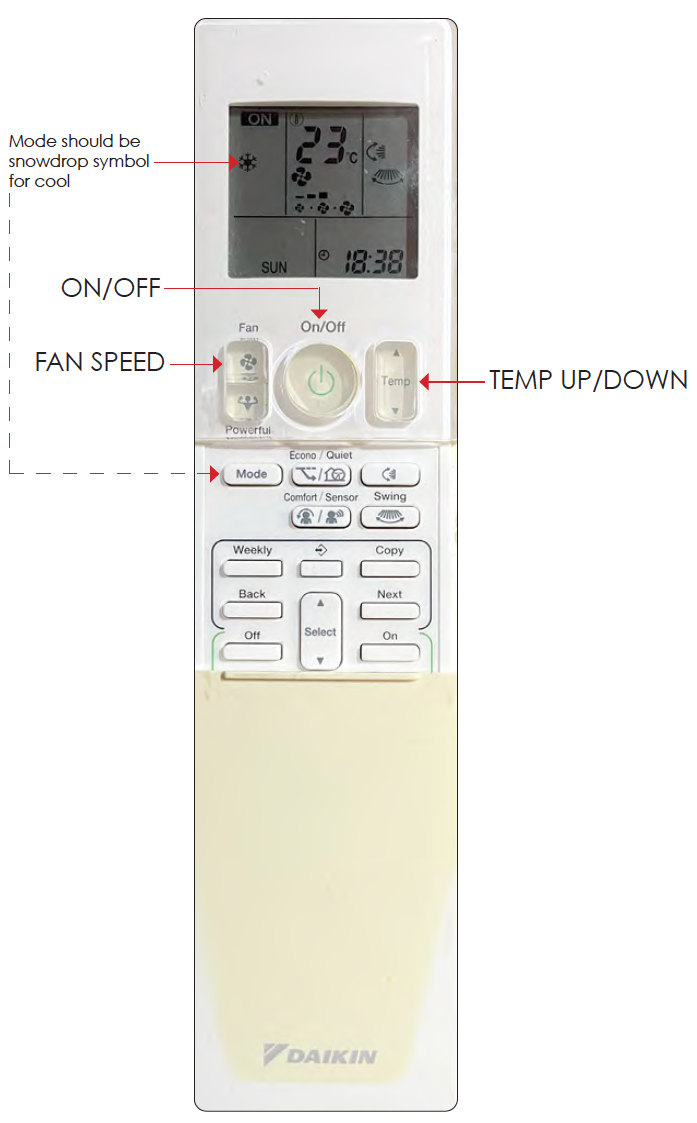
Master Bedroom
The Master Bedroom Aircon is positioned on the left/northern part of the room.
There's an app for your phone that you can control it from if for some reason you'd want to do that.
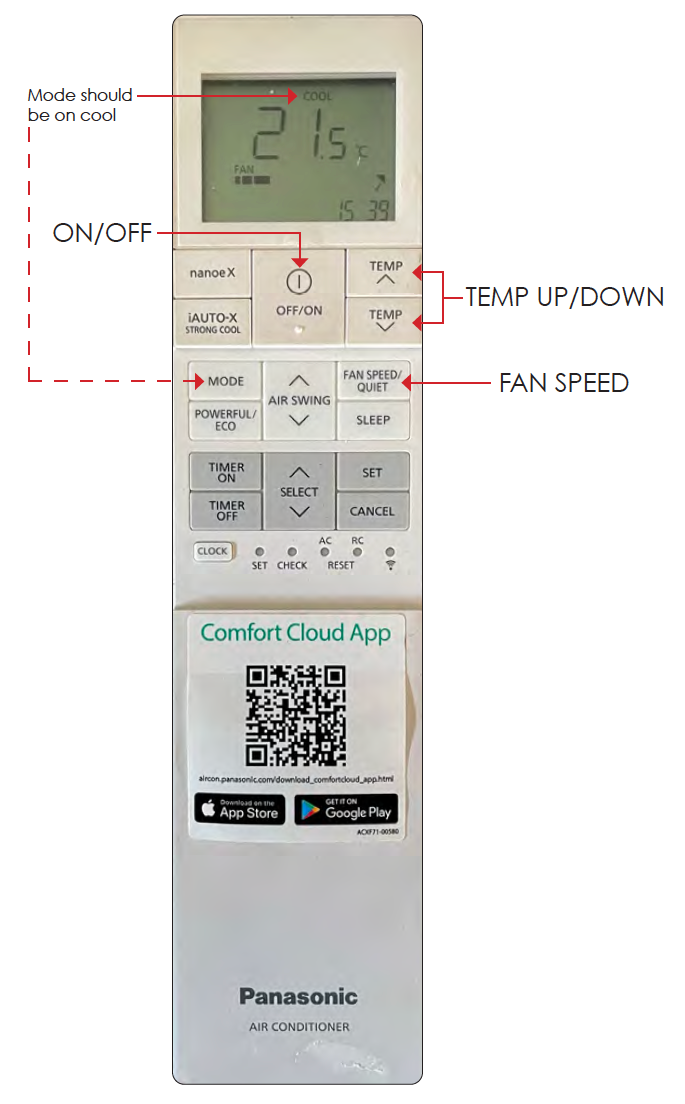
Front of the house
Turning the Aircon On
To turn on the aircon, go to the Mode tab, press the "on/off switch" so that it's toggles on. Make sure that it's on the fan speed you want (Medium is a good choice), and that the mode is set to "cool". Beneath the temperature you will see what room is the Primary Target, use the + and - buttons next to the thermometer graphic to adjust the temperature of the primary target.

Selecting Rooms to be cooled
To select the rooms to be cooled (aka Zones), press the Zones tab, and then press the rooms you want to cool. If only cooling one room, make sure the room is selected as the Primary Target.
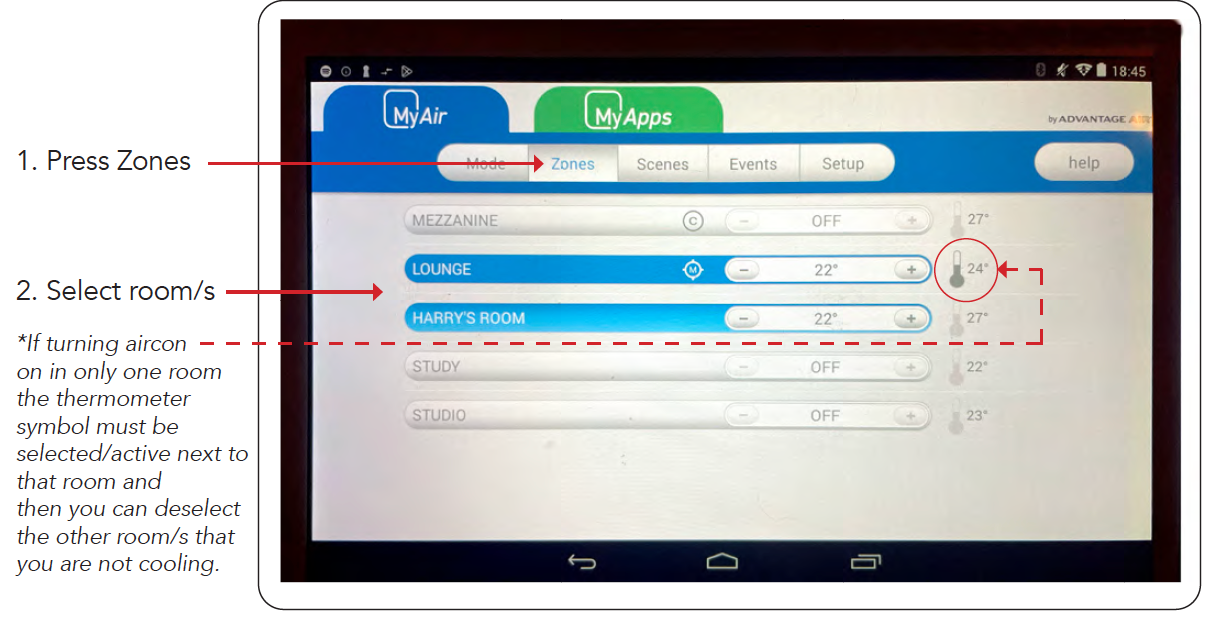
When cooling the rooms, a Primary Target must be selected. This target is used for fan speed and temperature alignment (i.e. this room takes priority). If cooling multiple rooms, this means that the Primary Target room should be the coolest one.